DISM.exe returns error 0x800F0954 when trying to add Windows features
Roni Moilanen 28/01/2024 0

I faced this issue when I had to create package for install RSAT and then deploy it with SCCM.
Open regedit.exe and go to
HKLM:\SOFTWARE\Policies\Microsoft\Windows\WindowsUpdate\AU and edit key UseWUServer and set data to 0. Now you should restart Windows Update service in services.msc and try to install RSAT or some other feature like .NET Framework 3.5. Please note that Group Policy will probably write this back to value 1. If this didn’t help keep reading..
Allow component install
If you are still getting 0x800F0954 error then you should try allowing component install. This can be done with registry or gpo
with registry
Go to
and add key RepairContentServerSource use type REG_DWORD and set data to 2.
with Group Policy
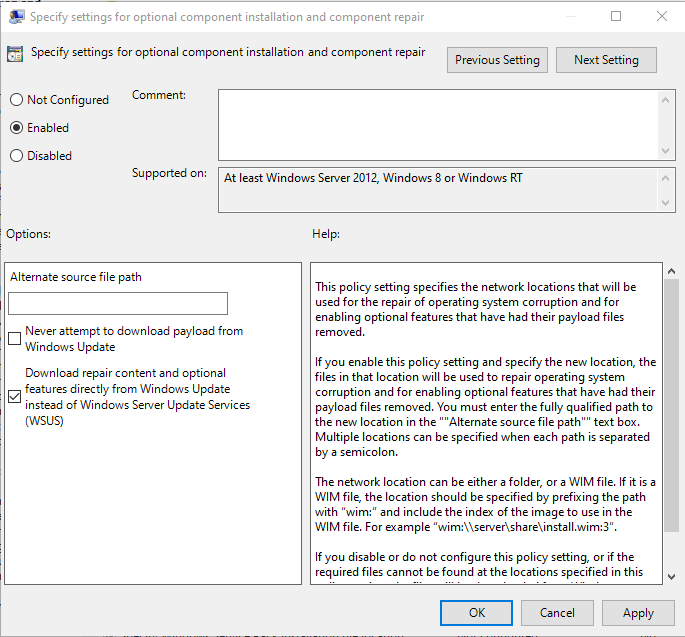
Go to policy editor Computer Configuration -> Policies -> Administrative Templates -> System and edit Specify settings for optional component installation and component repair. Set it to Enabled and select Download repair content and optional features directly from Windows Update instead of Windows Server Update Services (WSUS).
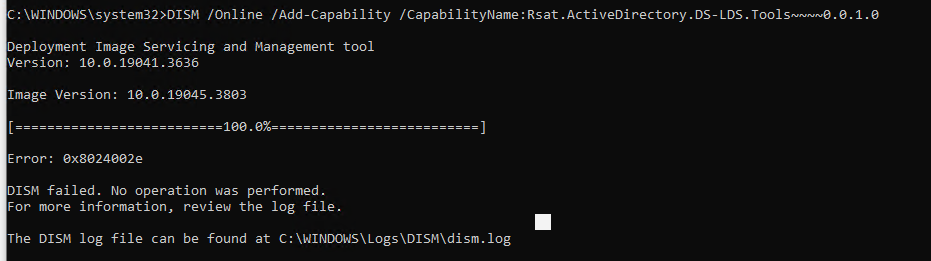
Now DISM.exe returns error 0x8024002e
Allow Windows Update. This possible with registry or GPO
with registry
Go to HKLM:\Software\Policies\Microsoft\Windows\WindowsUpdate\ create or edit key DisableWindowsUpdateAccess with type REG_DWORD and set value to 0. Create/edit key DoNotConnectToWindowsUpdateInternetLocations with type REG_DWORD and set value to 0
with policy
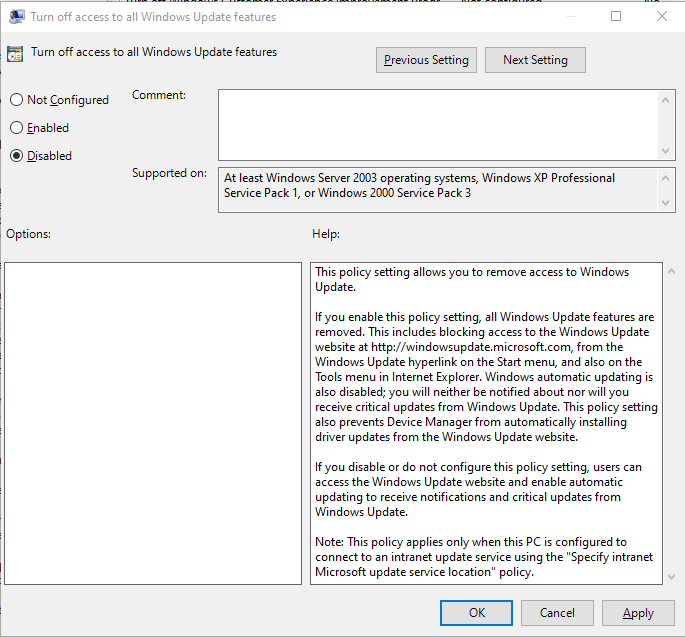
Go to policy editor Computer Configuration -> Policies -> Administrative Templates -> System -> Internet Communication Management -> Internet Communication Settings and edit setting Turn off access to all Windows Update features and set it to Disabled
If you’re still having problems with installation use FOD .ISO package
Start by downloading Feature On Demand (FOD) and extract it network share example SCCM share where you store packages.
Windows 10 FOD
download Windows 10 Language Pack ISO
download Windows 10 FOD Disk 1 ISO (version 2004 or later)
Windows 11 FOD
Windows 11, version 21H2 Language and Optional Features ISO
Windows 11, version 22H2 and 23H2 Language and Optional Features ISO
with GPO
Create new GPO. Go to policy editor Computer Configuration -> Policies -> Administrative Templates -> System and edit Specify settings for optional component inmstallation and component repair. Set it to Enabled and specify network share.
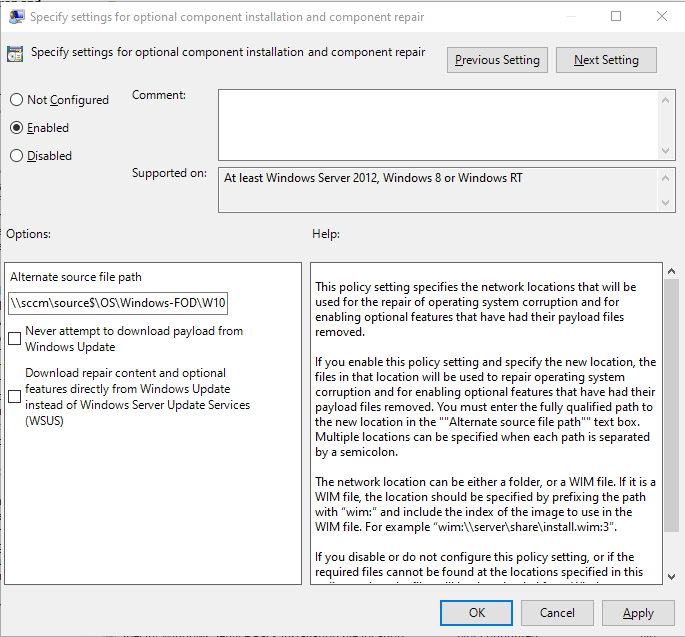
Create WMI filter for GPO to recognise all Windows 10 Build 2004 and later but exclude Windows 11:
select * from Win32_OperatingSystem where Version like ‘10%’ AND ProductType=1 AND OSArchitecture=’64-bit’ AND BuildNumber=’19041′ OR BuildNumber=’19042′ OR BuildNumber=’19043′ OR BuildNumber=’19044′ OR BuildNumber=’19045′
Now you can create package to install RSAT. To install only the missing RSAT tools, run in powershell:
Get-WindowsCapability -Name RSAT* -Online | where State -EQ NotPresent | Add-WindowsCapability –Online
or install only single feature:
Add-WindowsCapability -Online -Name Rsat.ActiveDirectory.DS-LDS.Tools~~~~0.0.1.0
without GPO
Now you can create package to install RSAT. To install only the missing RSAT tools, run in powershell:
Get-WindowsCapability -Name RSAT* -Online | where State -EQ NotPresent | Add-WindowsCapability –Online -LimitAccess -Source \\sccm\Windows-FOD\Win10\2004_x64\
or install only single feature:
Add-WindowsCapability -Online -Name Rsat.ActiveDirectory.DS-LDS.Tools~~~~0.0.1.0 -LimitAccess -Source \\sccm\Windows-FOD\Win10\2004_x64\